
Stills
Take a photo without stopping the video
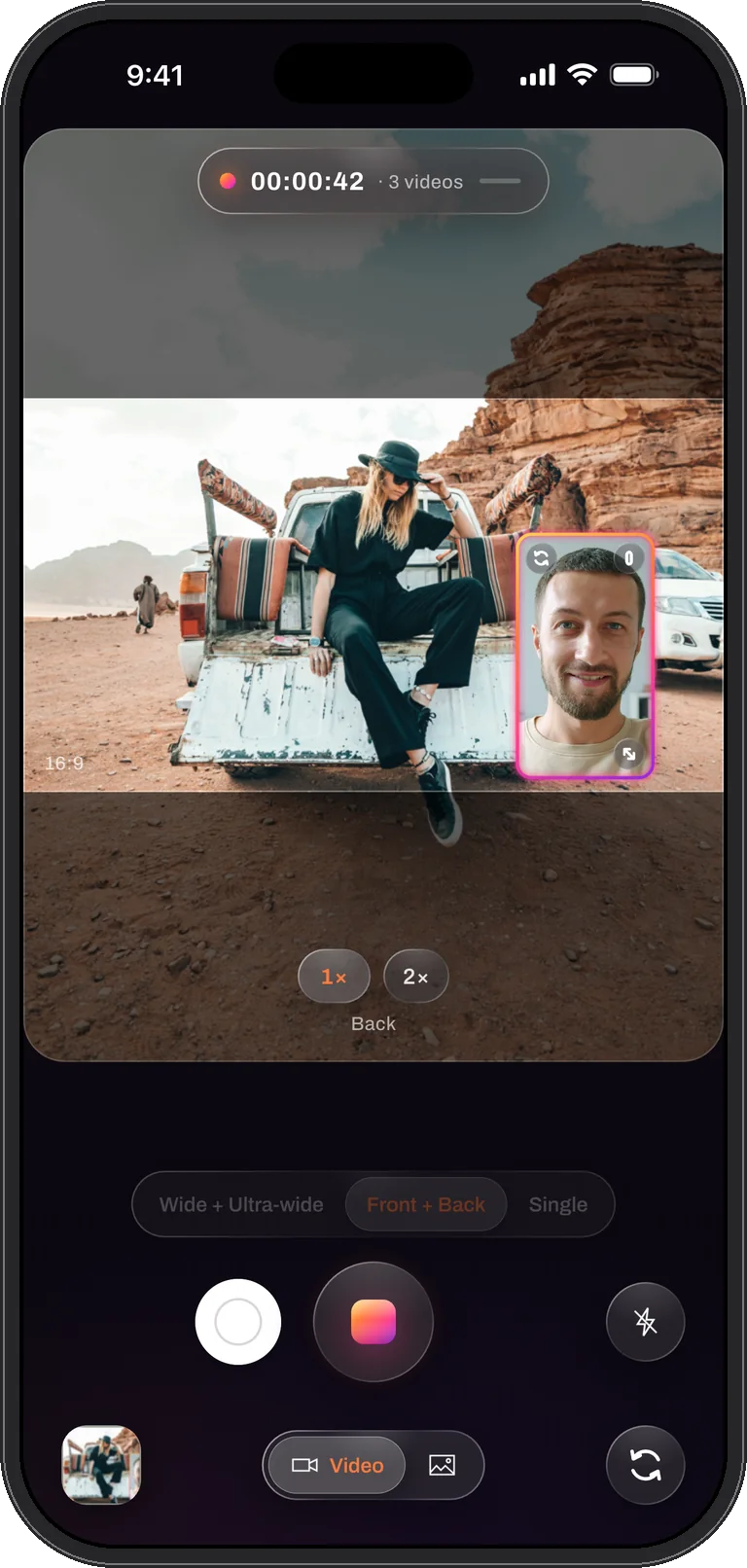
The moment worth a photo usually happens in the middle of a take. Dual Recorder keeps a shutter beside the record button for the whole recording: tap it and a still is saved with the take’s own arrangement, window or split, while the video carries on without a dropped frame.
Two controls stay live during a take
Everything else locks once you press record, so a stray touch cannot change the file mid-sentence. Two controls stay live, drawn above the dimmed panel: the white shutter on the left of the record ring, and the light on the right.
The still is the next frame the recorder composes. In a two-camera take that means the window or the split exactly as it is on screen at that instant, with the same sunset rim the video has. Nothing is re-captured and nothing interrupts the take.
What size the photo is
The still is composed at the camera’s own read-out rather than at the video’s output size, so it is sharper than a frame pulled from the file. With two cameras at the default setting the video frame is 1.5 megapixels and the photo is 2.8; with one camera the read-out reaches 4K. The caption on screen names the size when the photo is taken, so there is no guessing afterwards.
A full-resolution still in the middle of a two-camera take is not offered, on purpose. It would need a second capture path that changes what the cameras can afford, and the point of the shutter is that the take stays smooth.
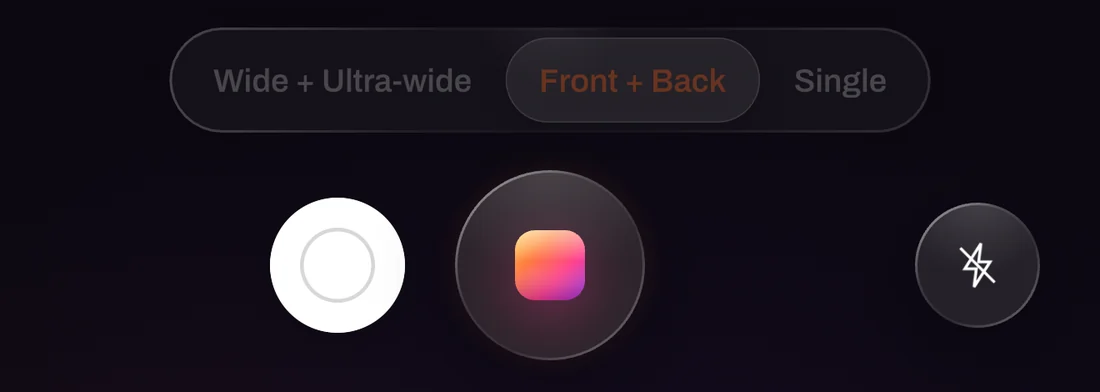
Photo mode, for when the photo is the point
Switch the bottom toggle from Video to Photo and Dual Recorder is a two-camera stills camera: the same modes, the same window and splits, the flash, a timer, and Live Photos with a short clip that plays when you press and hold the picture in the library. Stills in photo mode come from the phone’s photo pipeline at up to 12.6 megapixels beside a second camera.
Where photos go
Photos land in the library’s Photos tab next to the takes, grouped by day like everything else. Save to Photos and Share work on a selection of photos and takes together, and photos are always free to save; photos carry no watermark either.
Questions
Photos, answered
Does taking a photo pause or interrupt the recording?
No. The still is one extra render of a frame the recorder was composing anyway. The take keeps every frame and the record button stays live so you can stop whenever you want.
Does the photo show both cameras?
Yes, in the two-camera modes. It carries the take’s arrangement at that instant: the window in its place and shape, or the split with its seam. In Single mode it is the one camera, full frame.
Can I use the volume buttons?
The volume buttons start and stop a take, like the record button. The photo shutter during a take is the white button on screen.
Video rolling. Photo taken.
Dual Recorder: Dual Camera is available now on the App Store for iPhone.