
Tutorials and demos
Film a tutorial with the hands and the whole setup
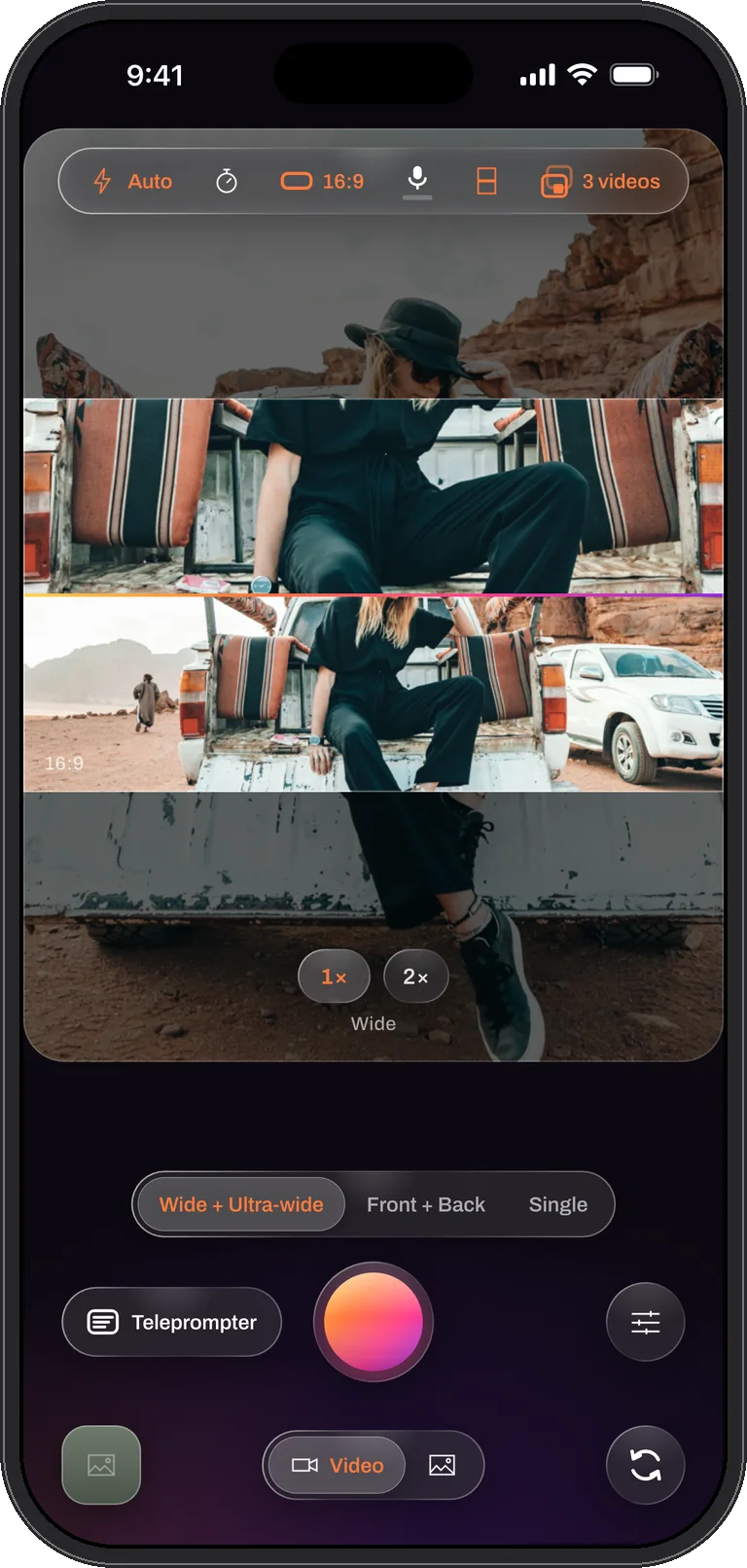
A good tutorial shows two things at once: what the hands are doing and where they are doing it. Cooking, repairs, crafts, unboxings, a product on a desk. Two angles records the tight view and the wide view in one take, and an over / under split puts both on screen for the viewer, live, with nothing to edit.
How to film it
- Put the phone on a stand above or in front of the work. Steady the picture can be switched off in Settings so a phone on a tripod keeps its full field of view.
- Swipe to Two angles. The wide lens is the main picture; pinch it to 2× for the detail while the ultra-wide holds the whole bench at 0.5×.
- Pick over / under and drag the seam so the detail gets the larger half.
- Paste the steps into the teleprompter if you narrate, and set the speed by reading them once aloud.
- Record. Tap the shutter for a still of the finished result without stopping the take.
What you get
A combined video where the viewer sees the close work and the context at the same time, plus a clean tight file and a clean wide file, aligned, for a version that cuts between them. If you present to camera instead, Me + View gives you the same structure with your face in the second picture.
Tips
- Light the bench, not the phone. The ultra-wide gathers less light than the wide lens; a lamp on the work keeps the wide half clean.
- Lock focus and exposure with a half-second hold once the framing is set, so the picture does not hunt when your hands move.
- Captions after. On iOS 26 the transcript is written on the phone; correct the product names once and export the SRT with the video.
Questions
Tutorials, answered
Can the viewer see me and my hands at the same time?
Yes, with Me + View: the back camera on the work, the front camera on you, in a window or a split. For the hands and the whole setup without you in the picture, use Two angles.
Do I need an ultra-wide lens?
For Two angles, yes: the iPhone 11 family and later, except the SE models and the iPhone 16e. Those phones still film tutorials in Me + View and Single.
The detail and the context. One take.
Dual Recorder: Dual Camera is available now on the App Store for iPhone.