
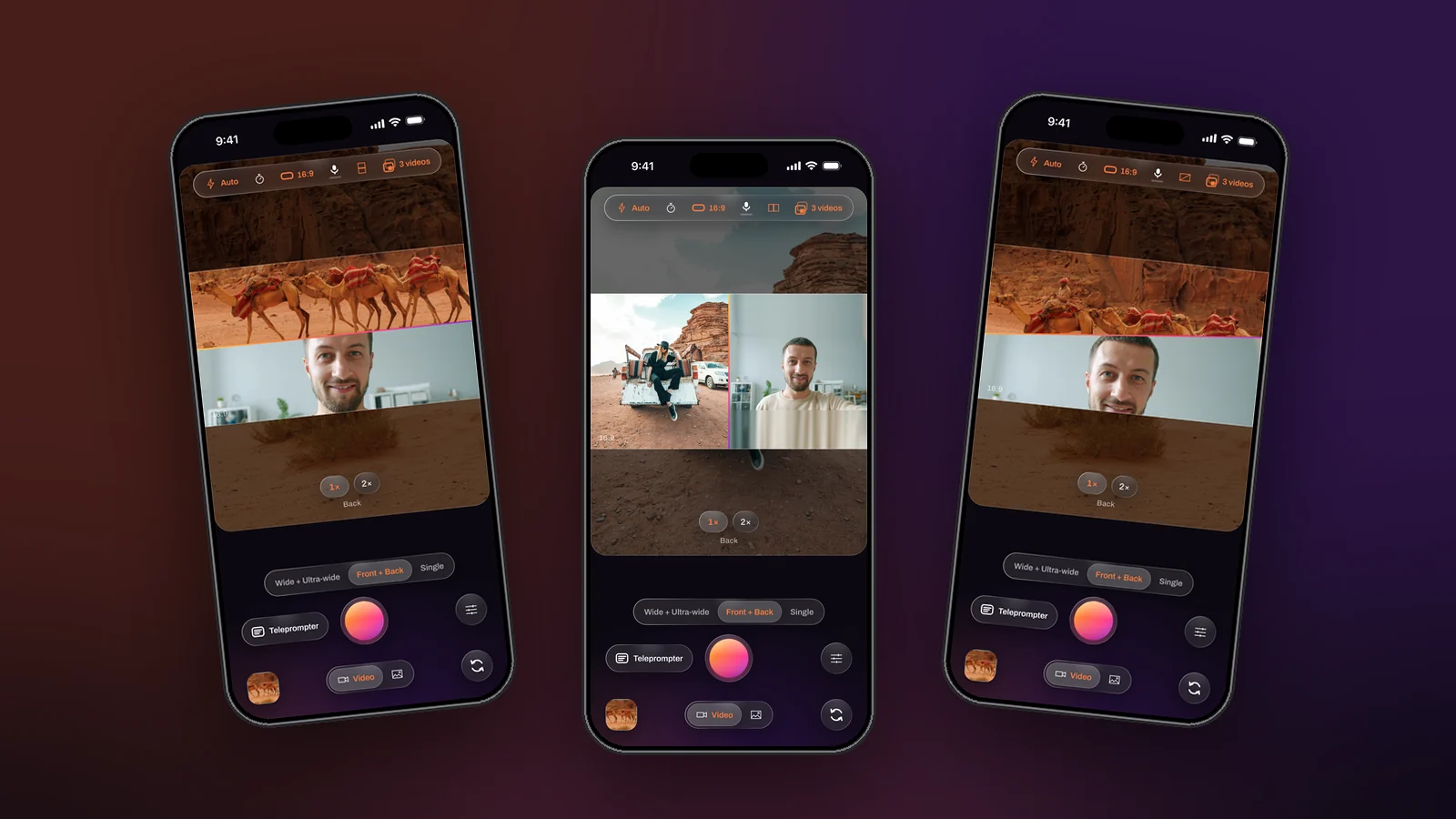
Split-screen video, two pictures sharing one frame with equal weight, is the format for reactions, duets, conversations and demos. Edited afterwards it means cropping two clips, stacking them and syncing. Recorded live it means pressing one button. Dual Recorder offers three splits, chosen from the top bar and changeable mid-take, and every one of them is written into the file exactly as the preview shows it.
Over / under
Two stacked halves. It suits a vertical video, where a viewer reads top to bottom: the scene above, the reaction below, or the tight view above the wide one in Two angles. Each camera centre-fills its half with no black bars, so keep the subject in the middle of each picture.
Side by side
Left and right. It suits a landscape frame and two people: an interview across a table with the phone between them, one face per half. Each half can be zoomed on its own with a pinch, so two people at different distances still end up the same size.
Diagonal
An over / under split whose seam is tilted. It is deliberately not a corner-to-corner cut, which would leave two triangles and crop a face at the sharpest point. With a slanted seam each camera keeps a wide band across the frame, and the drag that moves a straight seam moves this one.
Drag the seam
Halves do not have to be equal. Pull the seam to give one camera more of the frame, and the ratio is recorded. The seam itself is drawn in the same sunset gradient as the window’s rim, on screen and in the file.
How to record a split
- Pick a two-camera mode and the video shape for the feed.
- Tap the layout control in the top bar until the split you want is shown; the caption on the stage names it.
- Drag the seam, pinch each half to frame it, and swap cameras if the wrong one is on top.
- Set Videos to save. Both keeps the clean full-frame files as well, so the split can be rebuilt or replaced later.
- Record. The layout can still be changed during the take.
Only the combined video is split
The clean per-camera files stay full frame in every layout, cropped to the same shape and size as the combined one. That is what makes them useful in another editor, and it is why a Separate take looks identical whichever layout was on screen.
Three splits, one drag, no editing. The layouts page shows each of them on a real take.