
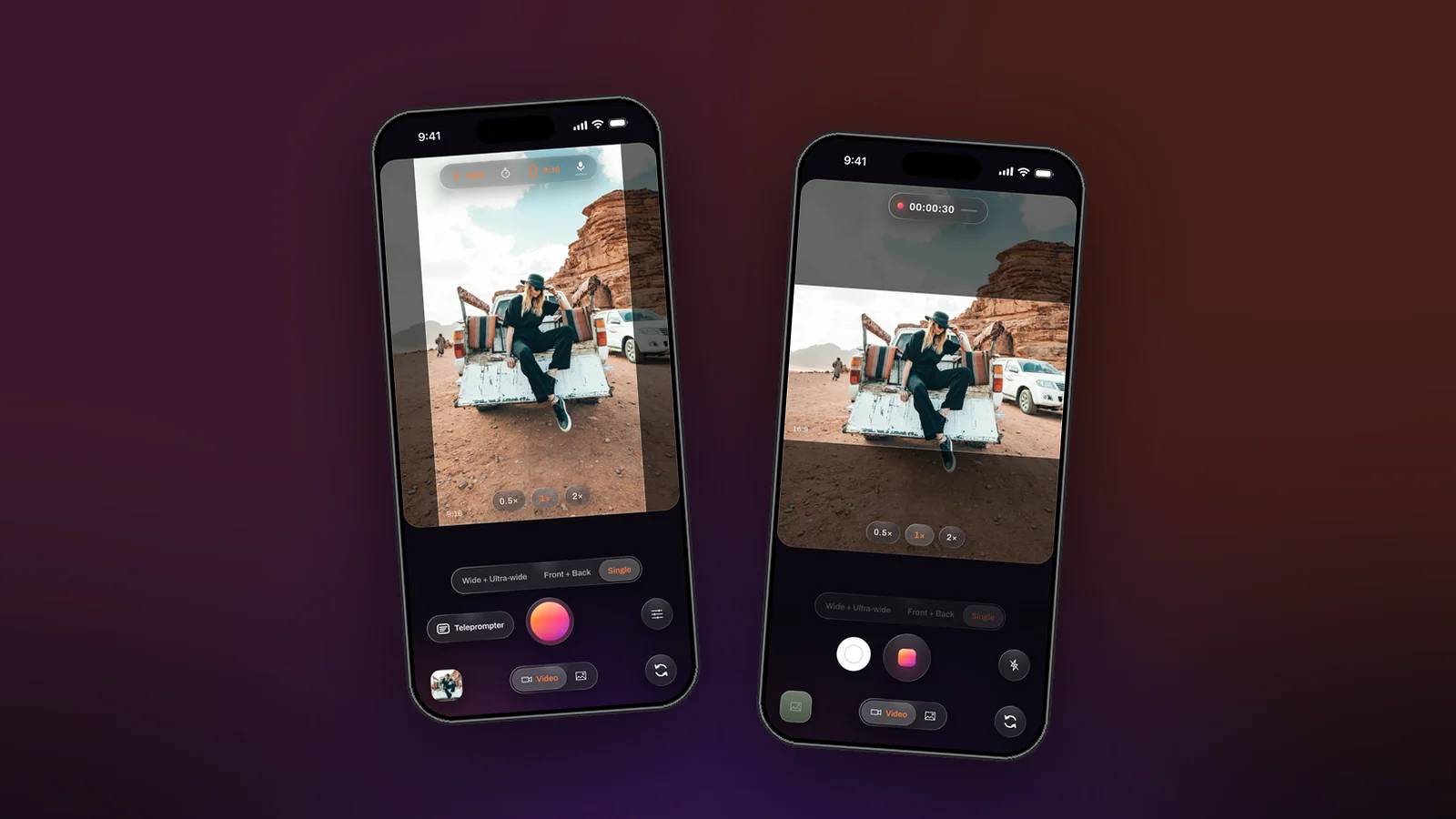
Every platform has a shape it rewards and a shape it tolerates. Post a landscape video to a vertical feed and it plays small between black bars; post a vertical one to a channel and it is a strip in the middle of the screen. The shape is a decision to make before you record, and Dual Recorder makes it visible: pick 9:16, 16:9, 1:1 or 4:3 from the top bar and a bright band on the preview shows exactly what the file will keep.
The four shapes and where they go
- 9:16, portrait. Stories, shorts and reels, anything watched on a phone held upright. The whole screen is yours, and text and faces read large.
- 16:9, landscape. A channel, a television, a presentation, a website. It is also the safest source when you are not sure, because a 9:16 cut can be taken out of the middle of it later.
- 1:1, square. Grid feeds and anywhere a post is shown as a tile. It crops least awkwardly from a 4:3 source.
- 4:3, the full sensor. Everything the lens sees. Choose it when you plan to crop several shapes from one take; it has the most pixels to give.
One take, several shapes
A take records one shape, but the editor’s Crop tool cuts another from it: 9:16, 16:9, 1:1, 4:3 or the original, moved over the picture to keep what matters. The file you recorded is never changed. So the practical rule is: record the wider shape the story allows, and crop the narrower ones afterwards.
Two things make that crop better on a two-camera take. The ultra-wide file has room to spare on every side, so a vertical cut from a landscape walk still holds the subject. And the clean per-camera files share the combined video’s shape and size, so a crop applied in the editor keeps every file of the take aligned.
What the band is telling you
The dimmed area around the band is what the camera sees but the file will not keep. It is there so you can watch a subject approach the edge before they cross it, which a hard crop would hide. In a two-camera layout the band is the whole composed frame: the window keeps its own shape inside it, and a split divides it into halves.
Landscape with the phone turned
Turn the phone sideways and the preview turns with it while the controls stay where your thumbs are. The orientation is fixed when the take starts, so decide before you press record. The video shape page covers the pixel side: where the extra resolution for a cropped band comes from, and why Settings shows the real size.