
Interviews and podcasts
Two people, one phone, both faces the whole time
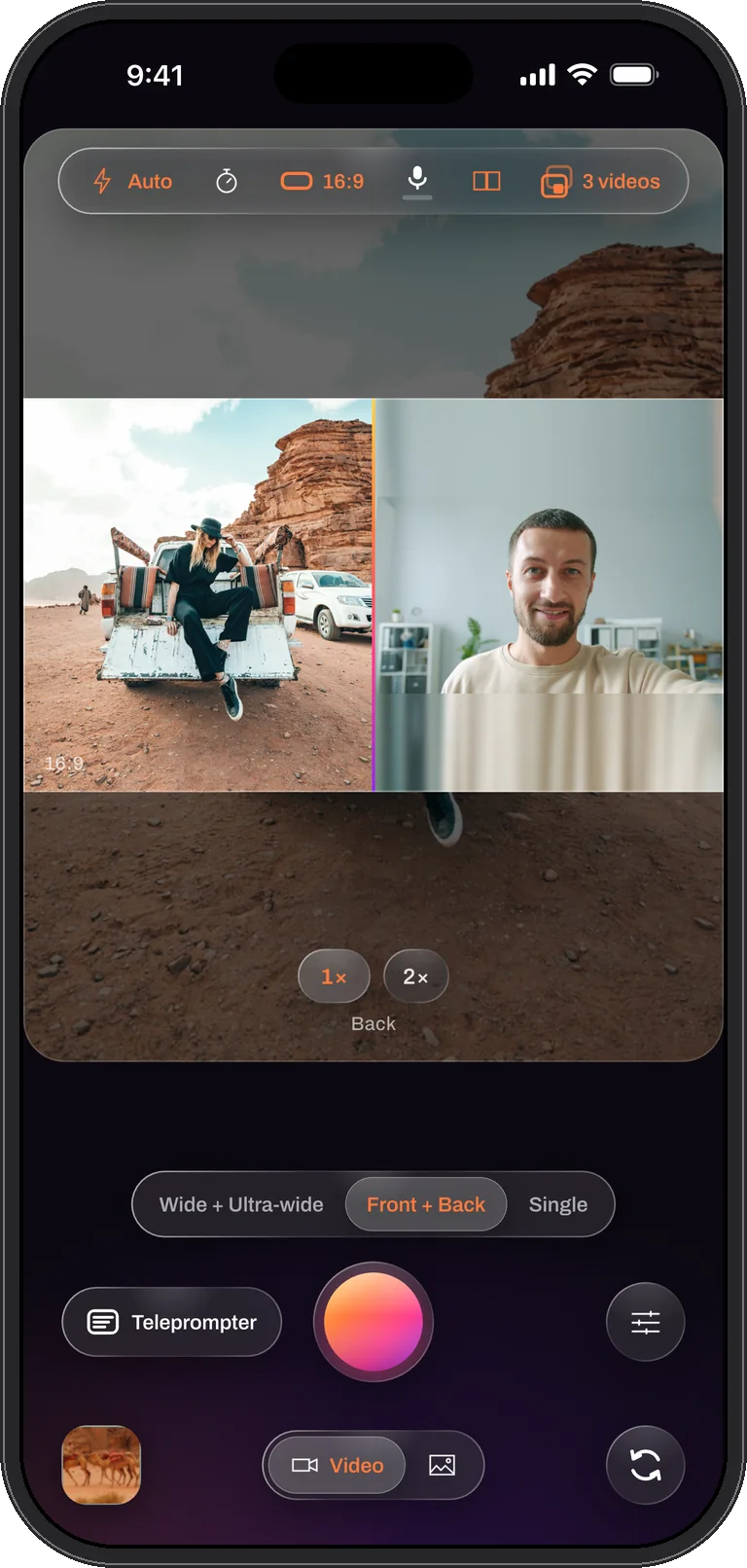
Put the iPhone on the table between you. The back camera films one person, the front camera films the other, and a side by side split shows both for the whole conversation. Saved as Both, you also get a clean file per person, the same length and aligned, which is exactly what a two-camera podcast edit starts from.
How to film it
- Stand the phone on the table between the two of you, the back camera on your guest, the front camera on you. Turn it sideways for a landscape frame.
- Swipe to Me + View and choose side by side. Each camera centre-fills its half; drag the seam if one side needs more room, and pinch either half to reframe that person without touching the other.
- Check the sound. The meter under the microphone control shows the level; Settings picks an external microphone if you have one on the table, and the app falls back to the built-in mic if it disconnects.
- Set Videos to save to Both and record. The whole conversation is one take; the timecode capsule warns when storage runs low.
Let Director cut it for you
With the window layout, turn on Director from Controls or the Cameras sheet. Whoever is talking fills the frame and the other person sits in the window, with a split when you both talk, cut live into the combined file while you record. The clean per-camera files are kept, so the cut can be redone in another editor. Recording with Director is part of PRO. On iOS 26, live captions can write the conversation down as it happens.
What you get
A combined side by side video of the conversation, ready to post, and two clean full-frame files, one per person, that start on the same frame and share one microphone track. Drop them on a timeline and cut between the speakers with no syncing; on iOS 26, write the transcript on the phone and export an SRT for the platforms that take one.
Tips
- Sit at the same distance from the phone so both faces are the same size; the front camera is a little wider than the back one, so nudge its zoom with a pinch on that half.
- One light source, between you, keeps the two halves matching.
- Star the take in the library when it is a keeper, and rebuild it over / under later for a vertical clip from the same recording.
Questions
Interviews, answered
Do both people get their own audio track?
No. The take records one microphone track, shared by every file. For separate voice tracks use an external recorder; the video files still line up frame for frame.
Can I record longer than an hour?
Yes, as long as storage allows. Takes are written in short fragments, so even an interrupted recording plays up to its last seconds, and the app says how much room is left once it gets tight.
Two people. One take.
Dual Recorder: Dual Camera is available now on the App Store for iPhone.