
Vlogging
Vlog with both cameras: you and where you are
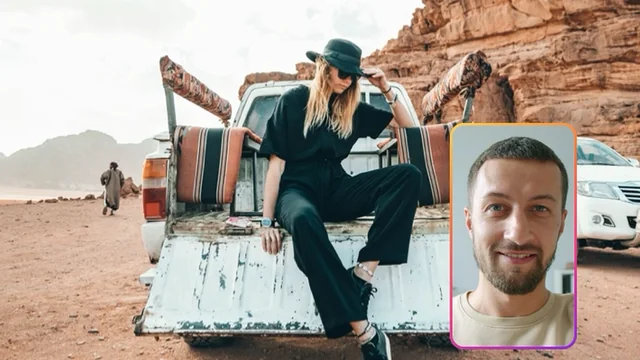
A vlog is a place and a person. Filmed with one camera you keep flipping between them and losing half of every moment. With Me + View rolling together the place fills the frame, your face sits in a window, and the take saves the combined video plus the clean files for the day you want to cut it differently.
How to film it
- Swipe to Me + View and pick the shape for where the vlog is going. The bright band shows what the file keeps.
- Drag the window to a corner where it will not cover the thing you are showing, and pull its corner to size. Once touched, it stays where you put it across takes and modes.
- Set Videos to save to Both. The combined video posts as is; the clean files wait for the edit.
- Check the microphone meter under the mic control before you start, and pick the input in Settings if you use an external mic.
- Record with the button or a volume press. Swap which camera is in the window mid-take when the place deserves the whole frame, and take a photo with the shutter beside the record button when a moment asks for one.
What you get
One combined video ready to post, with your reactions in the window exactly as you saw them. Two clean videos, the place and you, the same length and size, starting on the same frame, for any editor. And the stills you grabbed, in the library next to the take.
Tips from the field
- Face the light. The front camera is the weaker one; a bright sky or window in front of you does more than any setting.
- Lock the exposure by holding on the picture for half a second when the scene is bright and you are in shade, so your face does not go dark as you walk.
- Use the teleprompter for the intro and the sign-off, so the lines land without a notes app.
- Star the keepers in the library with a press and hold, then save or share the selection in one go.
Questions
Vlogging, answered
Can I hide myself for part of the take?
The window stays for the whole take, but you can make it small and park it in a corner, or swap cameras so the place is in the window instead. A Separate or Both take can also be rebuilt later with a different arrangement.
How long can a vlog take be?
As long as storage allows. The timecode capsule shows minutes left once the take has under fifteen minutes of room, and a take that runs out of space ends cleanly, saved up to that point.
The place and you. One take.
Dual Recorder: Dual Camera is available now on the App Store for iPhone.