
Video shape
Portrait, landscape, square: pick the shape before you shoot
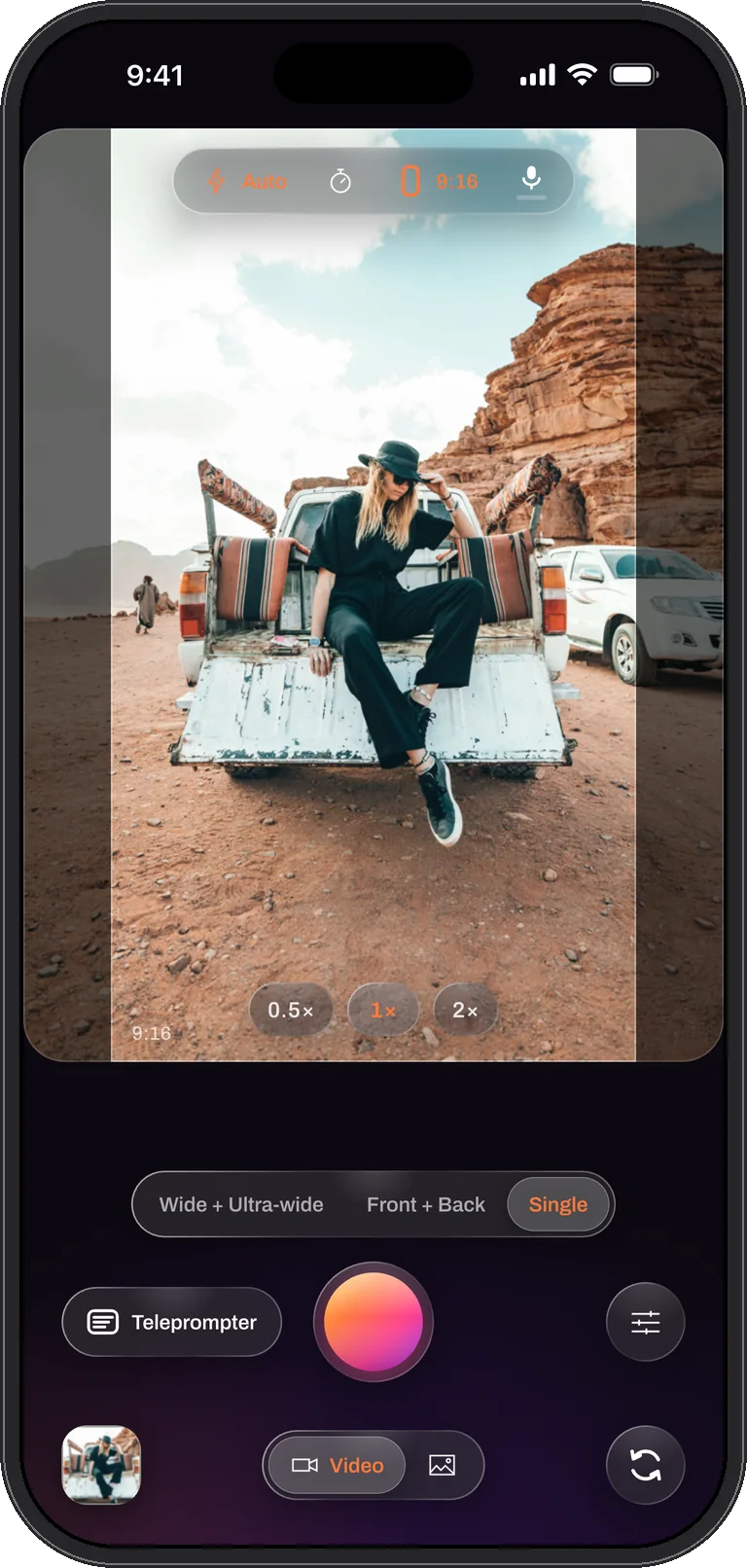
A story wants 9:16, a channel wants 16:9, a grid wants 1:1. Dual Recorder asks for the shape up front and shows it on the preview as a bright band over a dimmed surround, so what you frame is exactly what the file contains. No black bars, no surprise crop, and no guessing where the edges will fall.
Four shapes
9:16 for stories, shorts and reels. 16:9 for a channel or a screen. 1:1 for a square feed. 4:3 for the full sensor, everything the lens sees with nothing cropped.
The shape is chosen from the top bar and a caption on the stage says what was picked. Every file a take writes, the combined video and the clean per-camera ones, shares the same shape and size.
Landscape, with the phone turned
Turn the iPhone sideways and the preview turns with it while the controls stay put: the stage becomes a landscape frame filling the width of the screen and the buttons stay where your thumbs are. A take’s orientation is fixed when it starts, so a landscape take stays landscape to the end. Rotating an already-rolling take would mean renegotiating the file mid-stream, which no recorder can do cleanly.
Real pixels behind the band
Cropping a band out of a picture costs pixels, so the app asks the camera for a larger read-out when the shape needs one. With one camera at the 1080p setting, the 16:9 and 9:16 shapes are cut from a 4K read-out so the band is a real 1080p, not a scaled-up strip. Settings shows the size the live session is delivering next to the size you asked for.
Change the shape afterwards
The shape you record is the shape of the file, but the editor’s Crop tool can cut a new one: 9:16, 16:9, 1:1, 4:3 or the original, moved over the picture to keep what matters. A 16:9 take for a channel can leave as a 9:16 cut for a story without touching the original. The ultra-wide picture is the most forgiving source for this, because it has room to spare on every side.
What the second camera does with the shape
In the two-camera modes the shape applies to the whole composed frame. The window keeps its own aspect and area inside it, and a split divides the band into halves that each camera centre-fills. The clean per-camera files are cropped to the same band, so they stay aligned with the combined video and with each other.
Questions
Video shape, answered
Can one take save both a portrait and a landscape video?
A take saves one shape. Record the wider source, 4:3 or 16:9, and cut the other shape in the editor’s Crop tool afterwards; the original file is never changed.
Why is the surround dimmed instead of hidden?
So you can see what is about to enter the frame. The dimmed area is what the camera sees but the file will not keep, which is exactly the information you need to frame a moving subject.
Does the shape change the photo I take mid-take?
Yes. A photo taken during a take uses the take’s band, so it matches the video it came from.
Frame it once. Post it anywhere.
Dual Recorder: Dual Camera is available now on the App Store for iPhone.