
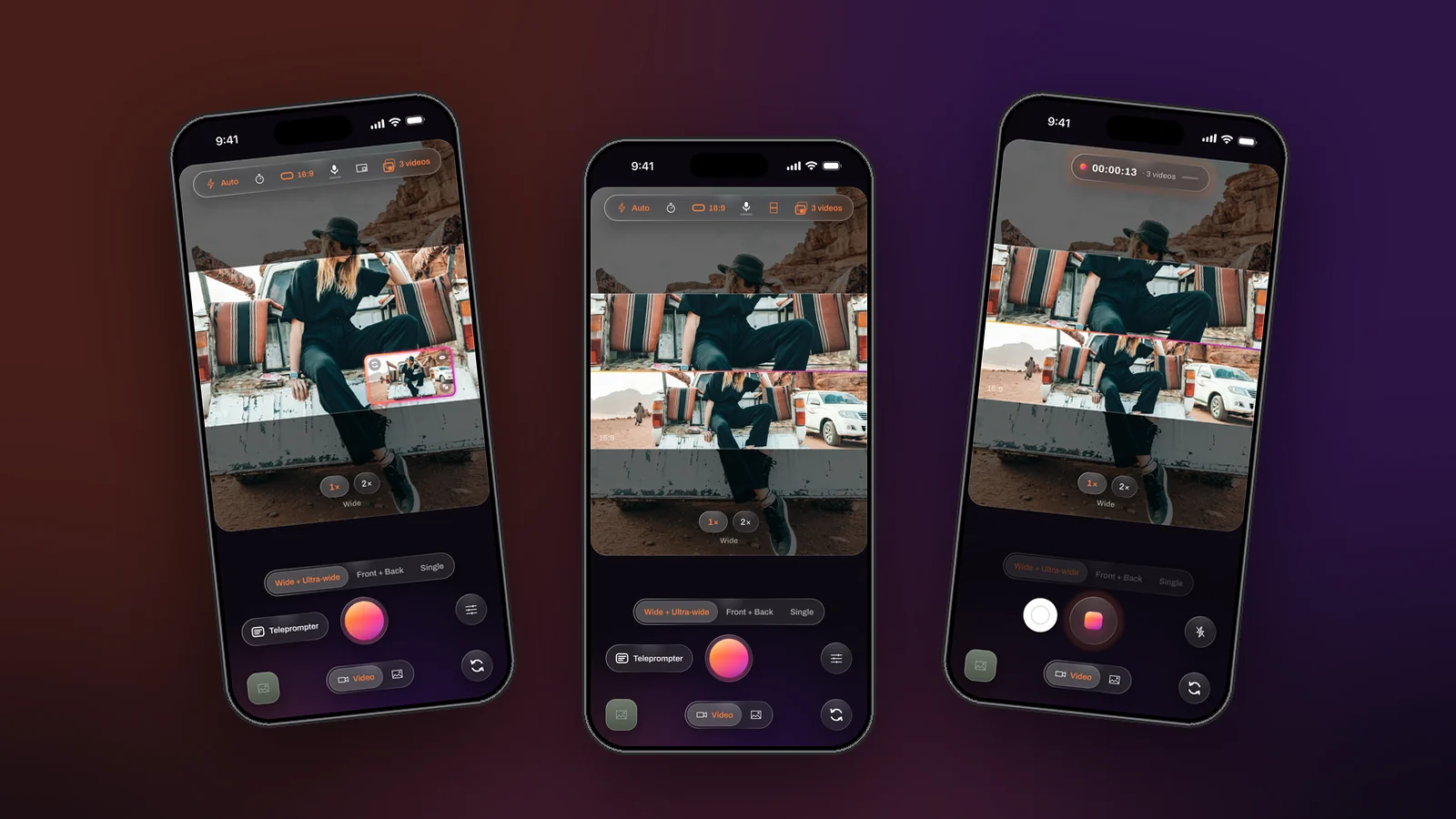
Every video starts with a decision you cannot undo: how tight to frame it. Tight, and the viewer sees the hands, the face, the dish, but not where any of it is. Wide, and they see the whole room while the thing that matters is a small shape in the middle. Film crews solve this with a second camera. From the iPhone 11 onward, the second camera is already in your phone, and Dual Recorder’s Two angles mode (wide + ultra-wide) records both at once.
What Two angles actually records
The wide lens is the one you use every day, the 1× camera. The ultra-wide sits next to it and sees roughly twice as much of the scene, the 0.5× view. In Two angles mode both run at the same time, on the same frame clock, with one microphone track. On screen the wide picture fills the frame and the ultra-wide sits in a window, or the two share a split; in the file you get whatever you chose under Videos to save: the composed video, the two clean pictures, or all three.
Because the two cameras zoom independently, the spread between them is yours to set. Pinch the main picture to 2× and leave the ultra-wide at 0.5× and you are recording a four-to-one difference in field of view from one phone that has not moved.
Four situations where it changes the result
The demo: hands and the whole setup
Cooking, repairs, crafts, unboxing, software on a laptop with the person beside it. The tight camera shows what the hands are doing; the wide one shows where the hands are. Recorded Combined with an over / under split, the viewer gets both at once, live, with nothing to edit. Recorded Separate, you cut between them and it looks like a two-camera shoot, because it is one.
The event you only get once
A recital, a match, a speech, a child’s first attempt at anything. There is no second take, and the moment that matters happens either in the middle of the frame or at its edge; you do not know which until it does. With both lenses rolling, the tight view holds the detail and the wide view holds the room, and you choose afterwards.
The place
Travel and real estate are made of the same two shots: the detail that says what a place is like and the wide that says how big it is. Walking a room or a street with both cameras recording gives you both from one pass, and the ultra-wide file has enough room in it to crop a vertical cut for a story out of a landscape take.
The edit you have not planned yet
Sometimes you simply do not know which framing will win. Record Both, post the combined video now, and keep the two clean files. They start on the same frame and share one size, so a later edit in any app begins with two aligned tracks and no syncing.
How to set it up
- Swipe to Two angles on the mode pills. The wide lens is the main picture; the ultra-wide is in the window.
- Pick a layout. Over / under shows both views whole and suits a vertical video; the window keeps the tight view large with the wide view as a reference; side by side suits a landscape frame.
- Set Videos to save. Both, if there is any chance of an edit. Combined, if the composed video is the deliverable.
- Zoom each camera on its own. Pinch the main picture or the window; the zoom pills follow whichever camera you touched and name it underneath.
- Record. Change the layout, drag the seam or swap which lens is the main one at any point; grab a photo mid-take with the shutter beside the record button.
What to know before you rely on it
- Two cameras share one pipeline. On current iPhones the two-camera modes record in the 1080p class at 30 frames per second; one camera reaches 4K at 60. Settings shows the real size for your phone.
- The ultra-wide wants light. Its lens gathers less than the wide one and stretches straight lines near the edges. Outdoors and in a lit room it is excellent; in a dim one, keep the important view on the wide lens.
- It needs an ultra-wide lens. The iPhone 11 family and later, except the SE models and the iPhone 16e. The supported iPhones page has the list; those phones still record Me + View and Single.
The camera crew’s answer to framing was always a second camera. The phone has had one for years; Two angles is the mode that finally uses it.