
Camera modes
Me + View, Two angles, Single or React
An iPhone carries several cameras, and Dual Recorder lets you run two of them at once. Which two decides what the take is for: you and the scene, or the same scene at two focal lengths. A third mode runs one camera at the phone’s full quality, and a fourth, React, puts a video beside you. Swipe between them on the mode pills; captions and the teleprompter work in all four, and in the two-camera modes so do the layouts, Videos to save and the photo mid-take.
Mode 1
Me + View: you and what you see
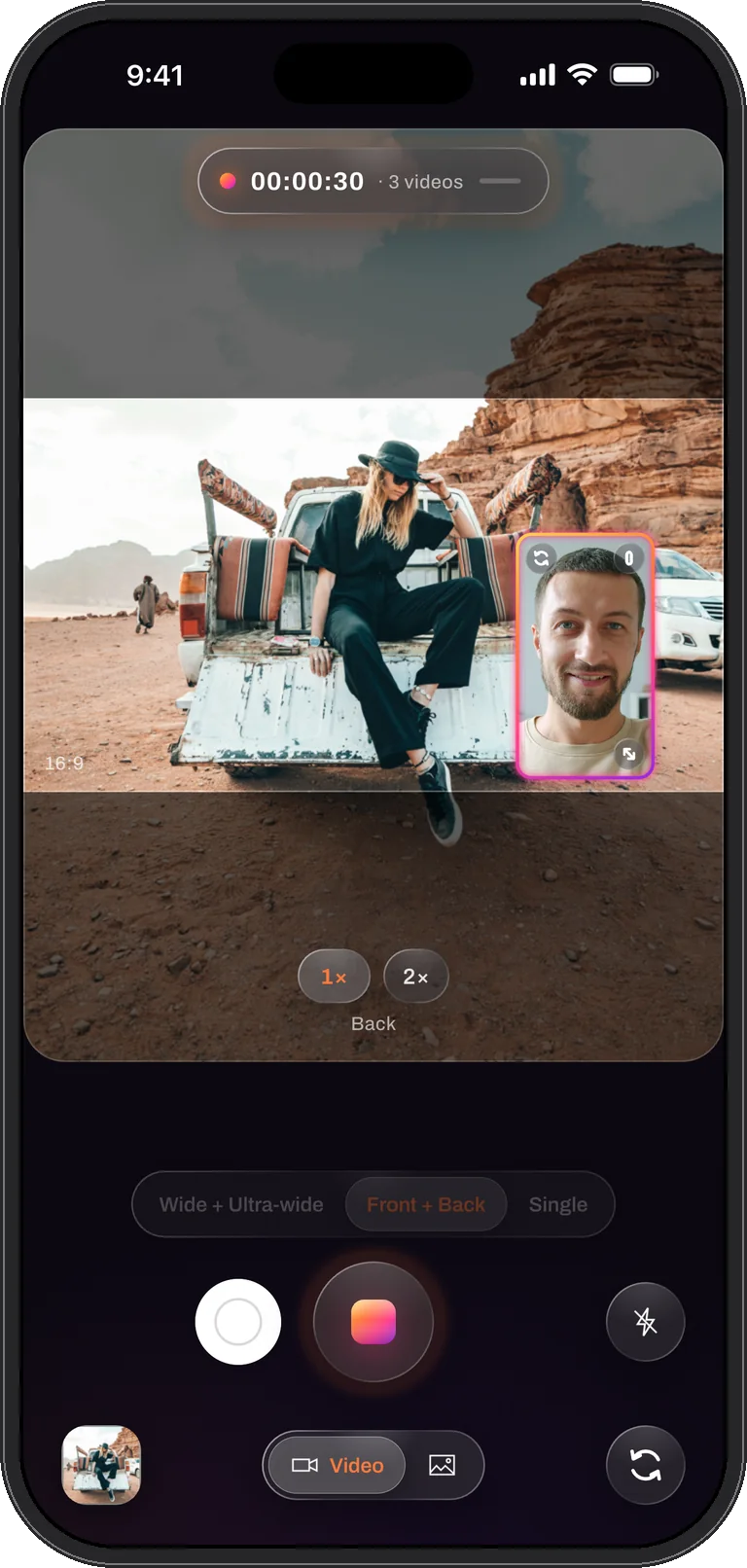
The back camera films the scene, the front camera films your face, and both are recorded at the same instant with one microphone track. It is the mode for reactions, vlogs, tutorials where the viewer needs to see you and the thing, and for two people talking across a table with one phone between them: the back camera on one, the front on the other.
The front camera goes into the window or a split half, and a swap control puts it in the main picture instead without stopping the take.
Best for: reactions · vlogs · walk-throughs · interviews across a table · unboxings
Mode 2
Two angles: close and wide, the same instant
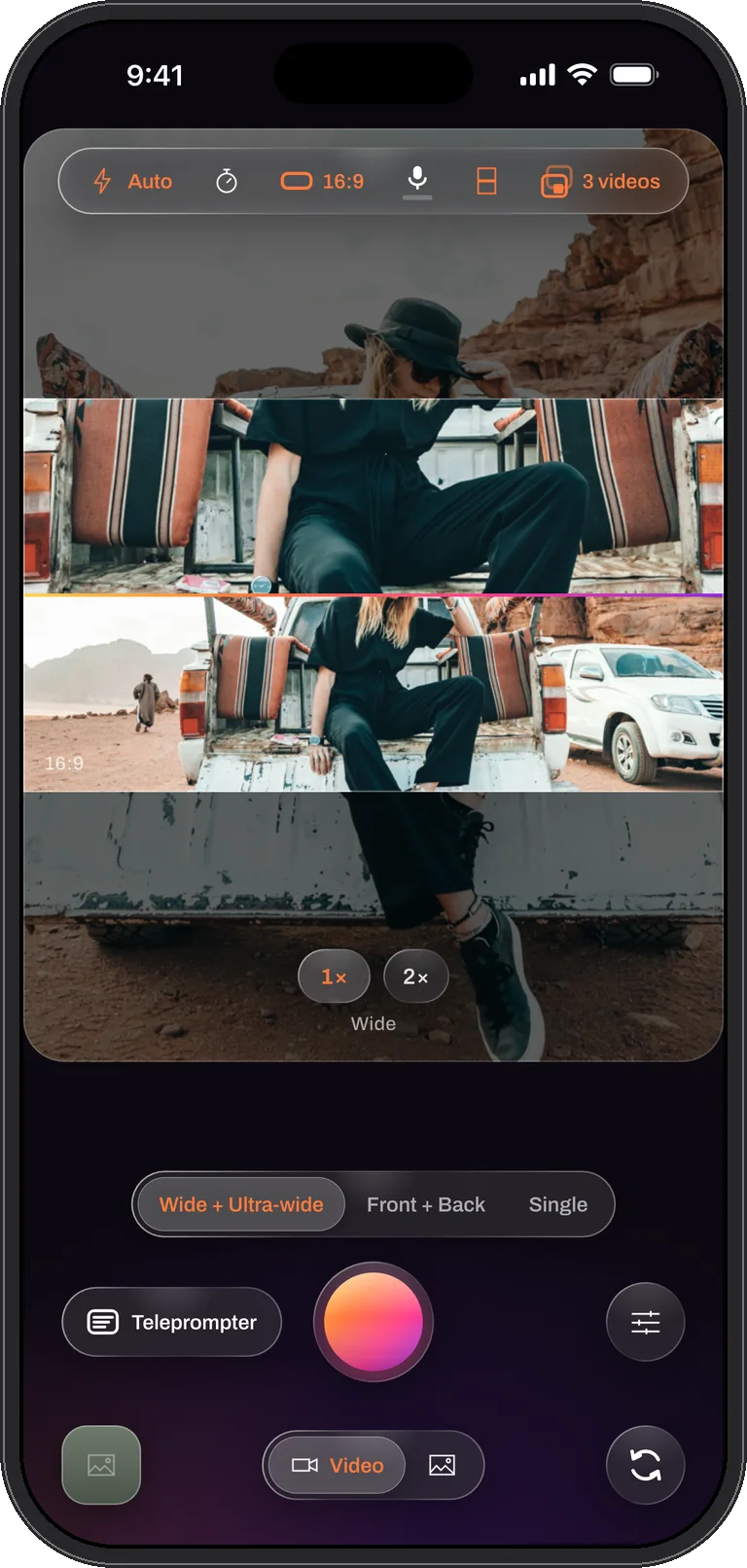
The wide lens and the ultra-wide lens record the same scene at the same time, one tight and one with everything in it. Every event that used to need a second camera for coverage, a cooking demo with the hands and the whole kitchen, a talk with the speaker and the whole stage, a product on the desk and the desk, comes out of one take.
Saved Separate, the two files are two angles of one moment that already line up, so a two-camera cut is a matter of choosing which angle plays when. Saved Combined, the detail and the overview share one frame, in a window or a split, ready to post. And because each camera zooms on its own, the wide can sit at 2× while the ultra-wide stays at 0.5×, which stretches the difference between the two views further than the lenses alone.
Best for: tutorials and demos · cooking · talks and performances · sport and kids · travel · any scene where you do not yet know which framing will win
Mode 3
Single: one camera, full quality
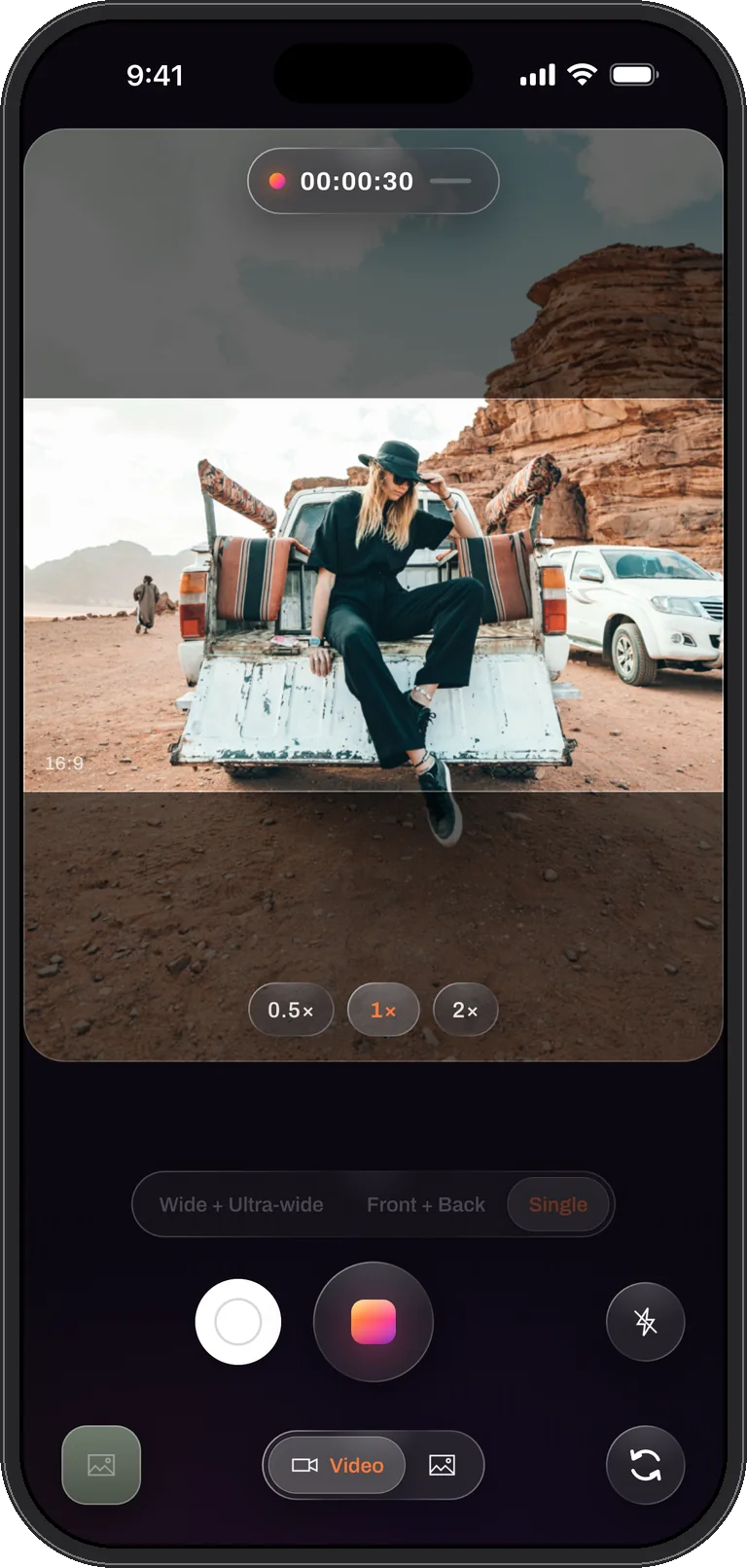
One camera at the highest quality the phone offers: up to 4K at 60 frames per second, any lens, with a 0.5× pill that swaps the wide for the ultra-wide. It is the mode for a piece that needs one picture at its best, and the camera every iPhone can use, including the models that cannot run two at once.
The video shape, the teleprompter, the brightness drag, the photo mid-take and the volume-button shutter are all there; a Single take simply saves one file.
Best for: the highest quality single view · older iPhones · a quick clip
Mode 4
React: you and any video
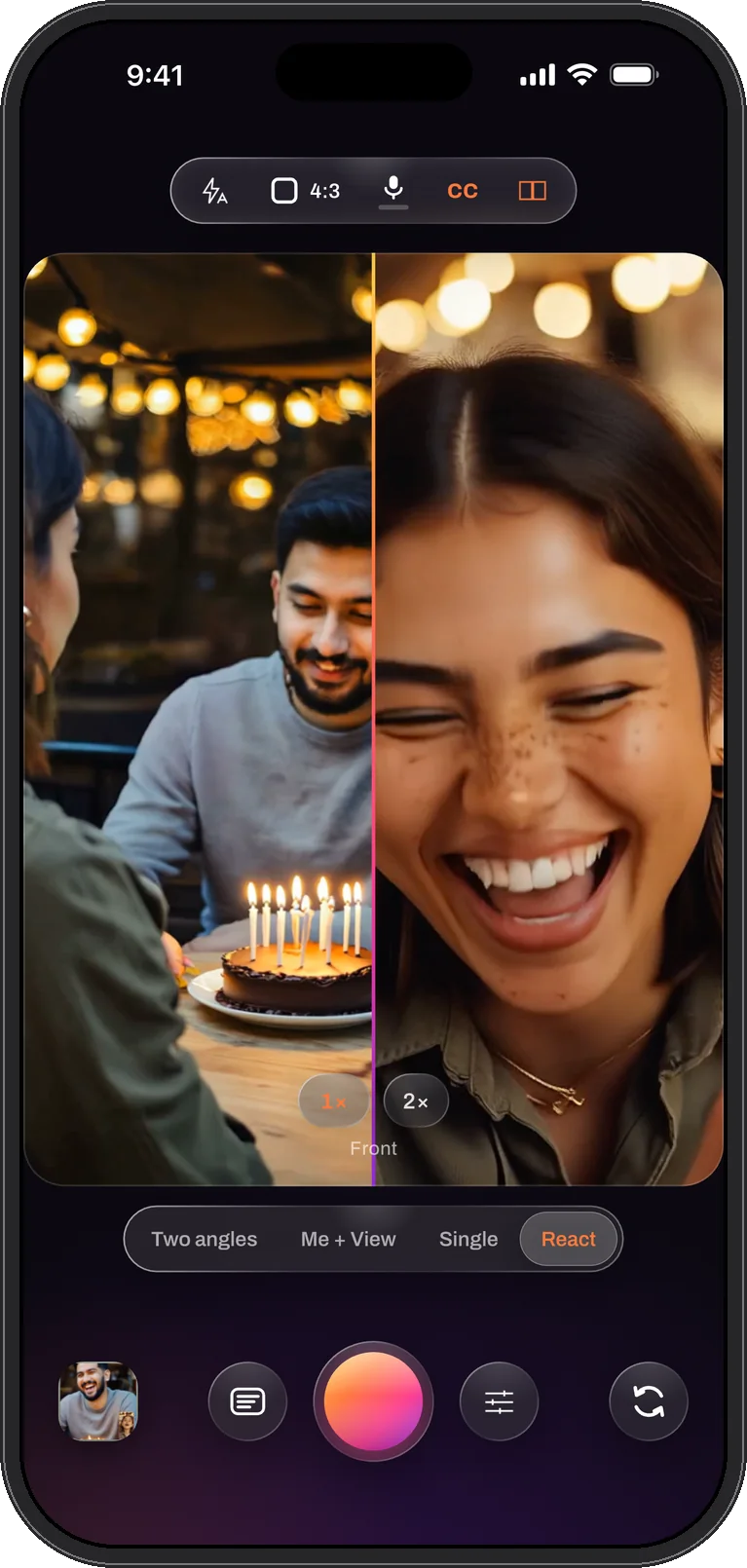
A video from your library or a link fills the frame while the front camera films you reacting, in the window or the cut-out. Choose Duet in the clip panel and the two sit side by side instead, and in the file the clip’s sound is ducked whenever you speak, so your voice stays on top. The clip starts when the take does.
A React take always saves one combined video with the clip’s sound mixed in, and photo mode is not offered. Live captions and the teleprompter work as in every mode.
Best for: reaction videos · duets · commentary · watch-alongs · reviews of a trailer or a match
The modes side by side
| Me + View | Two angles | Single | React | |
|---|---|---|---|---|
| What it records | Your face and the scene | The same scene, tight and wide | One picture | A video and you |
| Files a take can save | Combined, Separate or Both (1, 2 or 3 videos) | Combined, Separate or Both (1, 2 or 3 videos) | One video | One combined video |
| Layouts | Window, over / under, side by side, diagonal | Window, over / under, side by side, diagonal | Full frame | Window, cut-out, any split (Duet is side by side) |
| Zoom | Per camera | Per camera | 0.5×, 1×, 2× and pinch | The camera only |
| Quality on current iPhones | 1080p class, 30 fps | 1080p class, 30 fps | Up to 4K, 60 fps | 1080p class, 30 fps |
| Needs | iPhone XS, XR or later | An ultra-wide lens (iPhone 11 or later, not the SE or 16e) | Any iPhone | Any iPhone |
Why record two focal lengths at once
A single camera makes you choose the framing before anything happens. Tight, and the context is gone; wide, and the detail is small. A second camera used to be the answer, with a second person, a second battery and an afternoon syncing the two. Two angles is that second camera, already synced, already framed differently, on the phone you are holding.
Three things follow from it. You can cover an event you only get once, a recital, a match, a first attempt, from two views and cut between them later. You can shoot a tutorial where the hands and the whole setup are both visible, live, in one file. And you can put off the framing decision to the edit, when you can see which view carries the moment, because the ultra-wide frame leaves room to crop to any shape afterwards.
Honest limits
Two cameras share one image pipeline, so the two-camera modes record in the 1080p class at 30 frames per second on current iPhones; Single reaches 4K at 60. The ultra-wide lens gathers less light than the wide one and bends straight lines near the edges, which is why the wide is the main picture by default and the ultra-wide sits in the window. Settings shows the real size and rate of the live session for the mode you are in, so what you see there is what the file will be.
Questions
Camera modes, answered
Can I switch modes in the middle of a take?
No. A mode is chosen before the take because it decides which cameras run and which files are written. What you can change mid-take is the layout, the window, the zoom of each camera, the light and which camera is the main one.
Which iPhones can record Two angles?
Any iPhone with an ultra-wide lens on the back: the iPhone 11 family and every later model except the iPhone SE and the iPhone 16e, which carry a single rear camera. The supported iPhones page has the full list.
Is Two angles (wide + ultra-wide) the same as zooming out?
No. Zooming out on one camera gives you one wider picture. Two angles gives you two pictures at once, the tight one and the wide one, and saves them as you choose: composed into one video, as two clean files, or both.
Two cameras. One take.
Dual Recorder: Dual Camera is available now on the App Store for iPhone.