
Dual camera recording
Record the front and back camera at the same time on iPhone
Dual Recorder films with two iPhone cameras in one take: the front and back cameras together (Me + View), or the wide and ultra-wide lenses together (Two angles). You see both pictures live, arrange them on screen, and the take saves exactly what you chose: one combined video, a clean video from each camera, or all three.
Four ways to point the cameras
Me + View films you and what you are looking at. One camera on your face, the other on the scene, both recorded at the same instant with one microphone track.
Two angles records the same scene twice, once tight and once with the whole room in it, so a single take gives you a close view and a wide view that never drift apart.
Single is a plain, fast camera when you only need one picture: any lens, a 0.5× pill for the ultra-wide, and the highest quality the phone offers, up to 4K at 60 frames per second.
React puts a video from your library or a link in the frame and films you reacting, in the window, the cut-out, or side by side as a Duet with the clip’s sound ducked under your voice.
Each mode in detail, and why Two angles matters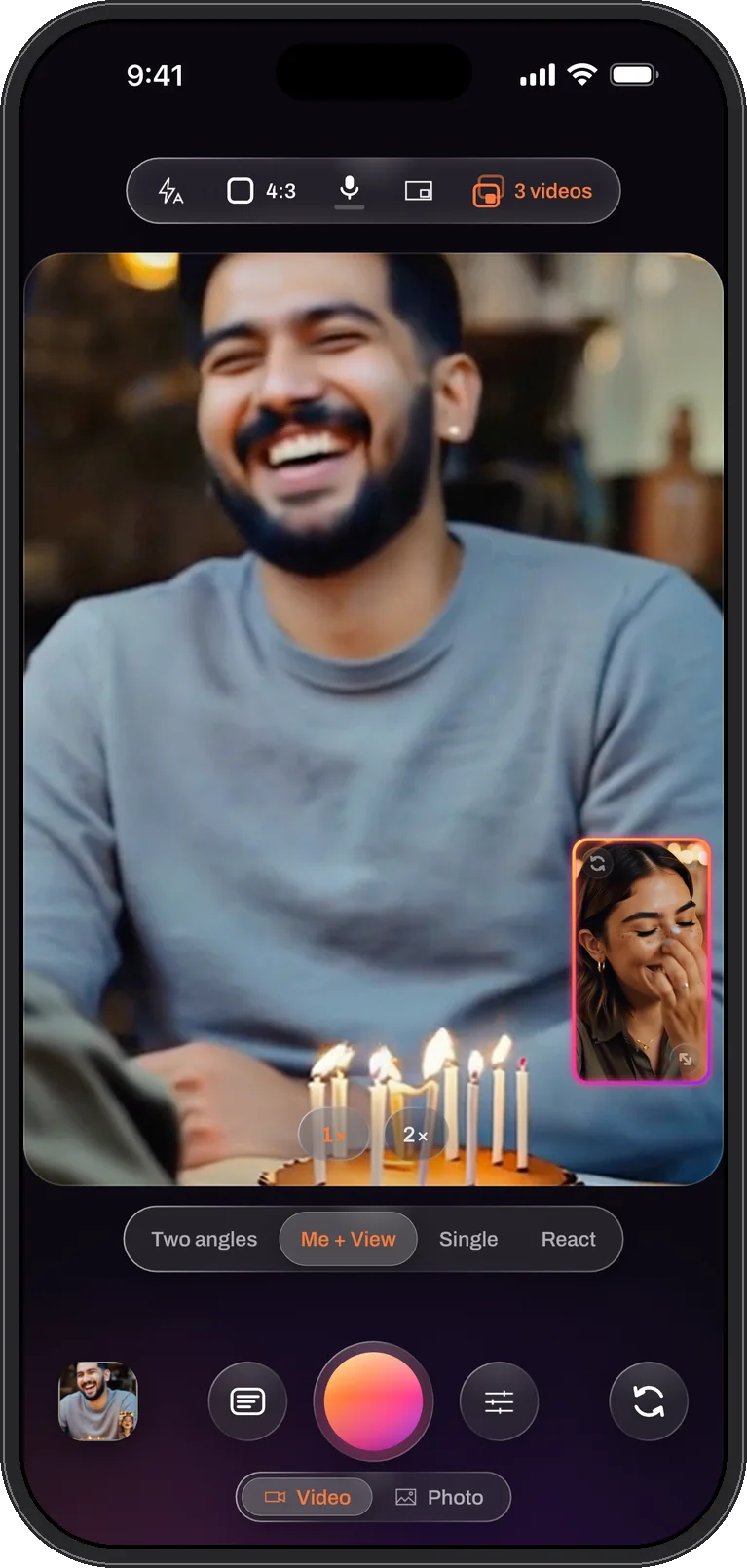
Everything is recorded at once, so nothing needs syncing
Two-camera capture is not two recordings stitched together afterwards. Both cameras run inside one capture session, every frame pair is composed while you film, and every file the take writes starts on the same frame. Open the clean videos in any editor and they already line up; there is no clap, no waveform matching, no drift after ten minutes.
The picture you arrange on screen is the picture in the file. Drag the second camera’s window into a corner, resize it, turn it into a circle or a star, or switch to a split, and the combined video carries that arrangement, baked in. The four layouts are chosen from the top bar and can be changed in the middle of a take.
New in 1.0.5: the take does more of the work
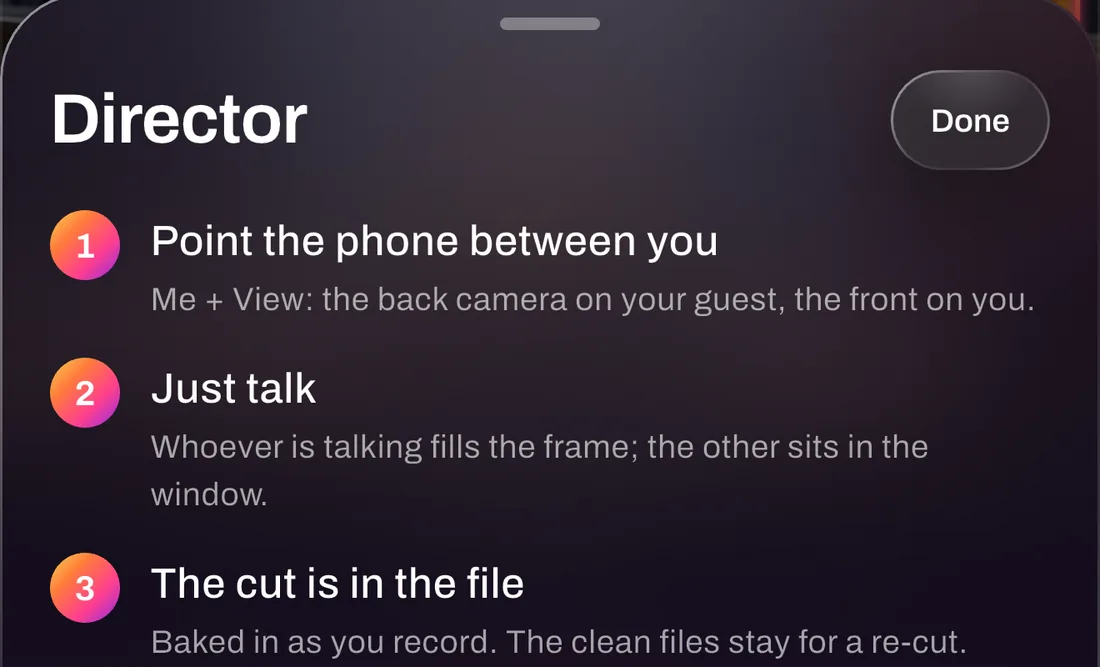
Director cuts a two-camera take for you. Point the phone between two people and talk: the camera whose person is speaking fills the frame and the other sits in the window, with a split when both talk. The cuts are written into the combined file while you record, and the clean per-camera files stay for a re-cut. Trying it is free; recording with it is part of PRO.
Live captions (iOS 26) put the words on the picture as you speak and save them with the take, so the editor opens with the transcript ready. Clips then finds the best 20 to 40 seconds by sound, or by what moved when nobody speaks, and Post sends a clip to TikTok, Instagram Reels or Stories, YouTube Shorts or YouTube in the shape each one wants.
Quality, stated the way it really is
Two cameras share the phone’s image pipeline, so they cannot each record at the resolution one camera would. Dual Recorder asks the phone for the best format both lenses can sustain together and steps down on its own rather than dropping frames into the file. On current iPhones that means the 1080p class at 30 frames per second with two cameras, and up to 4K at 60 with one.
Settings does not hide this. The resolution row shows the size the live session is really delivering next to the size you asked for, and the frame-rate page says when a rate is capped and to what. What you see there is what the file will contain.
The camera controls you expect
- Tap to focus, pinch to zoom each camera on its own, and a vertical drag that biases the exposure up to two stops; hold half a second to lock focus and exposure, tap to release.
- The volume buttons start and stop a take, like a shutter, and a take can be paused and resumed without ending it.
- Manual exposure sets shutter, ISO and white balance per camera, and nine looks (three of them free) colour the picture live.
- The light can be switched on and off during a take, and a photo can be taken mid-take without stopping the video.
- A microphone meter shows the sound is working before you commit, a picker chooses the input, and the mic can be muted so a silent take carries no audio track at all.
- Steady the picture turns stabilisation on or off, because a phone on a tripod should keep its full field of view.
- Minutes left appear in the timecode capsule once storage runs low, worked out from this take’s own size, rate and number of files.
Your videos stay on the phone
Recording, editing and captions all happen on the iPhone, and your videos leave it only when you save or share them. There is no account to create and no upload step. Dual Recorder is free to use, and so is saving the finished videos: free exports are HD with a small watermark. The PRO subscription exports full size with no watermark, and the app says so before you subscribe.
Questions
Dual camera recording, answered
Can every iPhone record with both cameras at once?
No. Two-camera capture needs the multi-camera hardware Apple introduced with the iPhone XS, XS Max and XR, and iOS 15 or later. Every iPhone released since supports it. Single mode works on every iPhone the app installs on. The supported iPhones page lists them.
Does recording with two cameras lower the quality?
Each camera records at a lower ceiling than it would alone, because both share the phone’s image pipeline. On current iPhones two cameras record in the 1080p class at 30 frames per second; one camera reaches 4K at 60. Settings shows the real size and rate of the live session, so there is no guessing.
Can the app cut between two people by itself?
Yes, with Director. In Me + View or Two angles with the window layout, the camera whose person is talking fills the frame and the other goes into the window, live, while you record. The microphone has to hear speech, so a silent room never cuts. Recording with Director is part of PRO.
Is sound recorded, and from which microphone?
Yes. The take carries one microphone track shared by every file it writes. Settings → Video → Microphone picks the input, a meter under the mic control shows it is working, and the mic segment in the top bar mutes it. If a phone call takes the microphone during a take, the video keeps recording and the app tells you the sound stopped.
Two cameras. One take.
Dual Recorder: Dual Camera is available now on the App Store for iPhone.